Daily Active Users in Google Analytics — and What It Misses
Daily active users in Google Analytics counts who was active. Moveo One predicts which users will stay active next and lets you act on the ones about to drop off.

For Growth Lead
Role-focused use case
How it works
- 1Connect onboarding events
- 2Train an abandonment model
- 3Predict drop-off mid-flow
- 4Trigger a save before they bounce
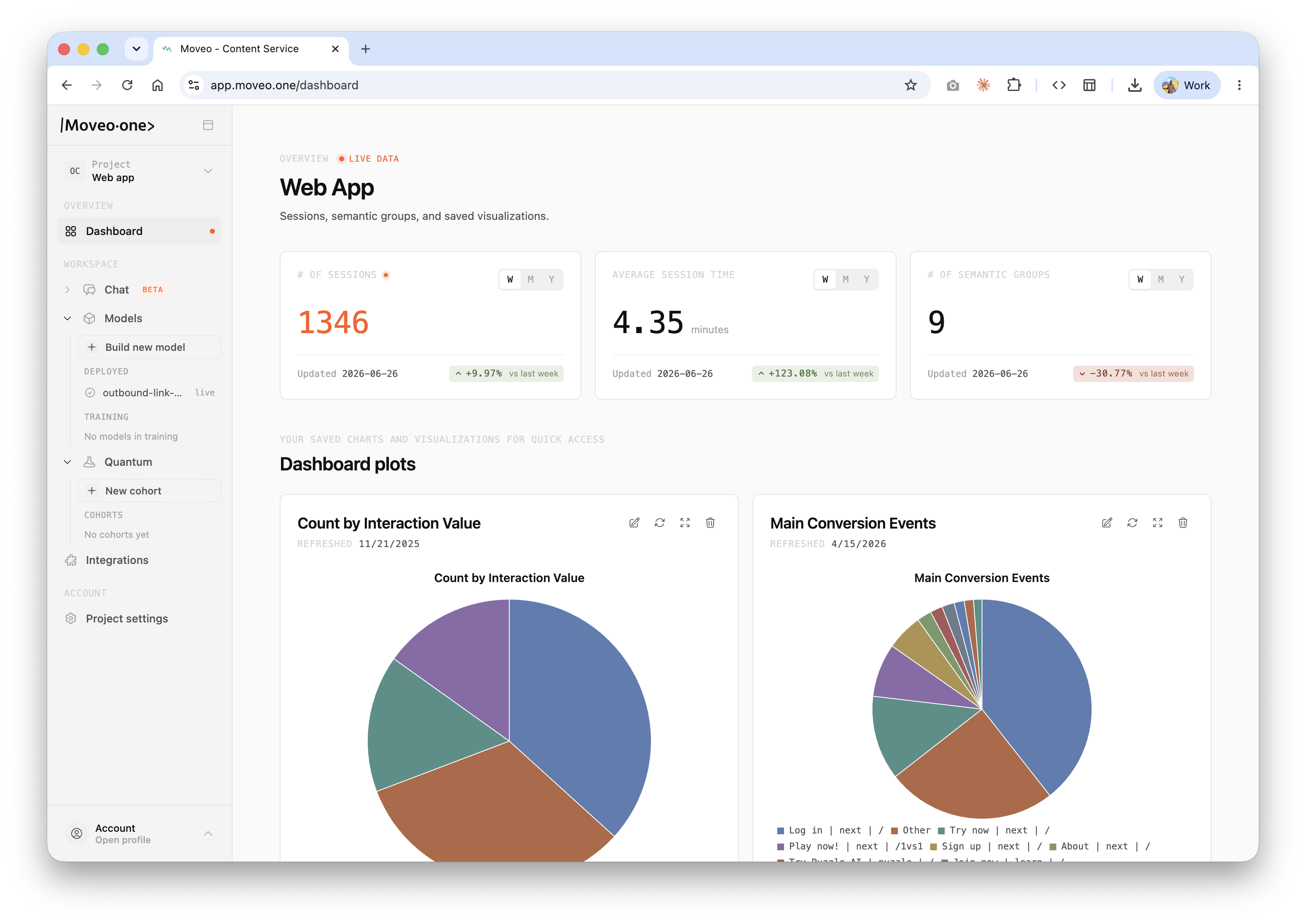
Daily active users in Google Analytics is the count of distinct users who triggered an engaged event on a given day — a backward-looking tally of who showed up. Moveo One is a predictive behavioral intelligence platform that starts where that count stops. Where Google Analytics reports how many users were active, Moveo One predicts which users will stay active next — and surfaces the ones about to drop so you can act before the metric moves. The report tells you what already happened; the prediction tells you what to do about it.
What is an active user in Google Analytics
In GA4, an active user is one who had an engaged session — roughly, a session lasting over ten seconds, firing a conversion, or registering two or more page views. The analytics active users metrics then roll that definition up over time: daily active users (DAU) over one day, weekly over seven, monthly over thirty. So when people ask what is an active user in Google Analytics, the honest answer is that it's a threshold definition applied after the fact. It's a clean, consistent way to count engagement, and it's genuinely useful for trend lines.
What it can't do is name names ahead of time. Knowing what is active users on Google Analytics shows you the aggregate rose or fell; it doesn't tell you which specific users are about to go quiet, or why. By the time DAU dips, the users behind the dip have already disengaged. The number is a lagging indicator of decisions made days earlier.
From counting active users to predicting them
The gap between a count and an action is where most teams lose time. You can watch DAU slide for a week, slice it by source and platform, and still not know who to reach out to. Moveo One closes that gap by training a behavioral model on your real product events and returning a per-user prediction: the probability that a given user stays active, or conversely that they're heading for abandonment. This is the Explain pillar working alongside prediction — not just how many users were active, but which attributes and behaviors drive whether they stay, surfaced through Metadata Insights and segment-level ICP Detection.
Because the prediction is per-user and updates as behavior unfolds, it becomes an input to product logic rather than a chart someone reviews on Monday. You connect onboarding and engagement events, the model flags users predicted to drop mid-flow, and you trigger a save — a contextual nudge, a re-engagement prompt — while they're still in the session. It complements GA rather than replacing it: GA tells you the trend, Moveo One tells you who's behind it. For teams comparing measurement approaches, synthetic monitoring vs real user monitoring draws a related line, and once you're predicting intent you can wire it into how to increase conversion rate.
Why Moveo One
Where Google Analytics tells you how many users were active, Moveo One predicts which users will stay active next — and lets you focus on the ones about to drop. A DAU chart is a rear-view mirror; a per-user activity prediction is a windshield. By turning the same event stream you already collect into a forward-looking, calibrated probability, the metric stops being something you merely watch and becomes something you can act on user by user. You can explore the outcomes this drives under save time on analytics, and how it applies to a web application in particular.
In practice: seeing the drop before the metric does
A team watching DAU fall in Google Analytics could see the number sliding but not who was leaving or why. The chart was unambiguous and useless in equal measure: engagement was down, and there was no one to call. Once the same events fed Moveo One, the at-risk users surfaced before the metric fully moved — flagged individually, with the behavioral signals that put them at risk. The team could reach the right users mid-flow instead of waiting for the weekly DAU line to confirm a loss they could no longer prevent.
Frequently asked questions
What counts as a daily active user in Google Analytics?
In GA4, a daily active user is a distinct user with an engaged session in a one-day window — typically a session over ten seconds, with a conversion event, or with two or more page views. Weekly and monthly active users apply the same definition over seven- and thirty-day windows.
Can Google Analytics tell me which users are about to churn?
Not directly. GA reports aggregate active-user counts after the fact; it doesn't predict which individual users will disengage next. Moveo One adds that layer by training on your event data and returning a per-user probability of staying active, so you can intervene before the DAU trend reflects the loss.
Does Moveo One replace Google Analytics?
No. It works alongside GA. You keep using Google Analytics for measurement and reporting, and Moveo One adds prediction on top — connecting to your existing events to forecast who will stay active and flag who's about to drop.
Keep exploring: how to simulate 1M concurrent users · synthetic users · browse all use cases
Keep exploring
Related use cases
Predictive Analytics Tools That Act, Not Just Chart
Predictive analytics tools usually stop at a dashboard. Moveo One wires per-user predictions into nudges and paywalls, so the forecast changes the outcome in real time.
Synthetic Monitoring vs Real User Monitoring: Where Moveo Fits
Synthetic monitoring vs real user monitoring explained: one watches uptime, the other watches sessions. Moveo's calibrated synthetic users predict behavior, a different question entirely.
Analytics Platform That Predicts Activation, Not Just Tracks It
Analytics platform for tracking activation metrics — and predicting them: Moveo One forecasts which new users will stall in onboarding so you intervene before drop-off.